
English source · 4 min
Set up your shop, one reviewed step at a time
Open Set up your shop near the top of the Studio sidebar. The optional guide connects six setup areas to the existing shop tools. You can pause, continue your ordinary work and return to the same step later.
The first visit to an unconfigured personal workspace in a shop without orders also offers a welcome. The guide and its controls support English, German, French and Spanish. Its source and local acceptance are recorded below; public deployment of this addition has not been observed.
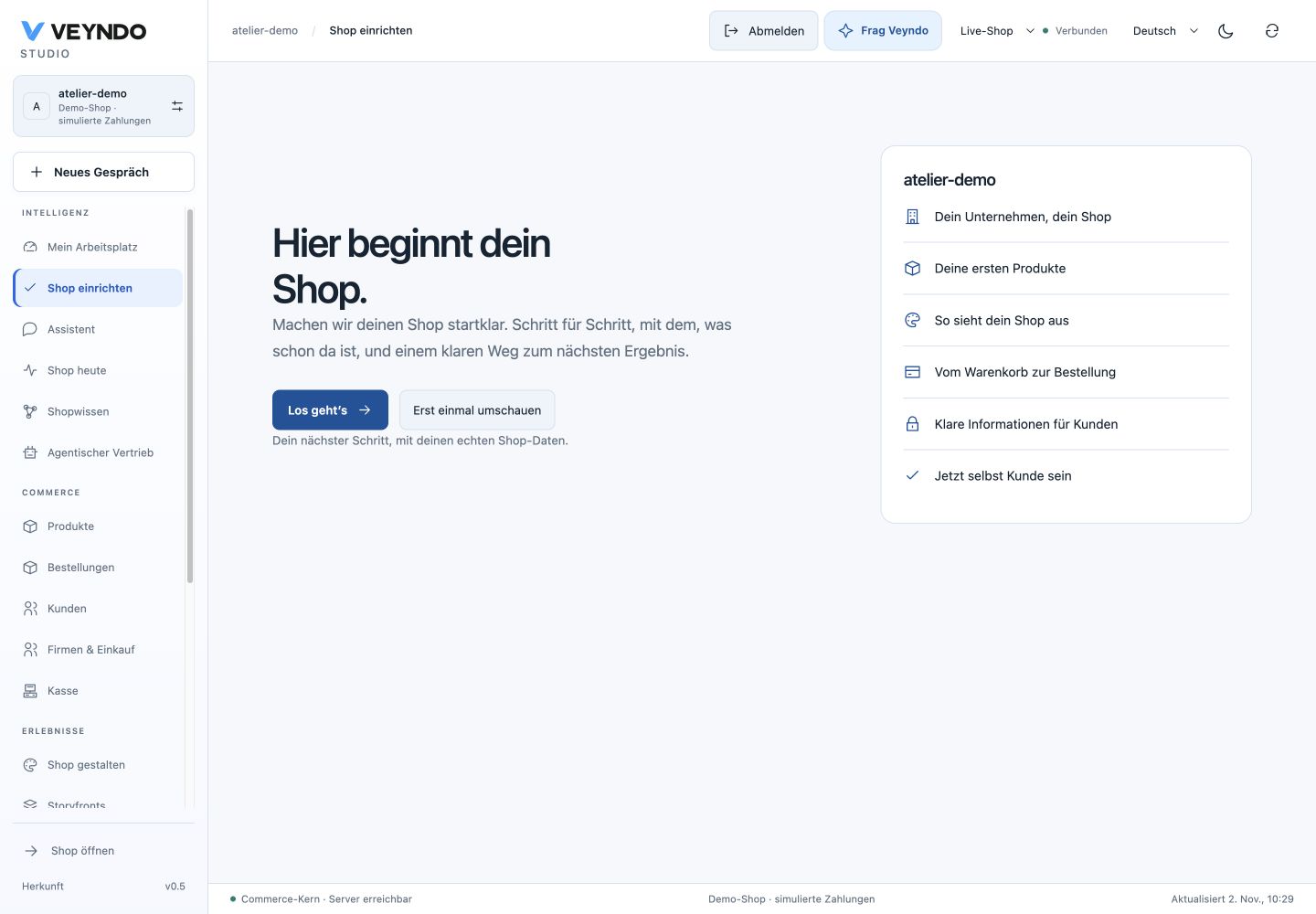
Start with the basics
Start the guide from the welcome or sidebar. Enter the company name, contact email and address directly in the first step, then save with the native company form. These are real shop settings. Review them before moving on.
Each area shows available native shop information and a route to the tool that owns the work. Review the result yourself, then explicitly mark that area reviewed. Existing settings or a product count do not silently complete a step.
| Area | Work to review | Where it leads |
|---|---|---|
| Basics | Company name, contact email and address | Inline native company form and existing settings |
| Products | Product information, images, prices and catalogue preparation | Existing product catalogue and editors |
| Design | The shop appearance and its private changes | Existing Shop design editor |
| Checkout | Payment, delivery and checkout configuration | Existing settings and sandbox tools |
| Legal | The shop's legal information and pages | Existing legal settings and views |
| Test | A deliberate test and inspection of the resulting order | Existing sandbox and order views |
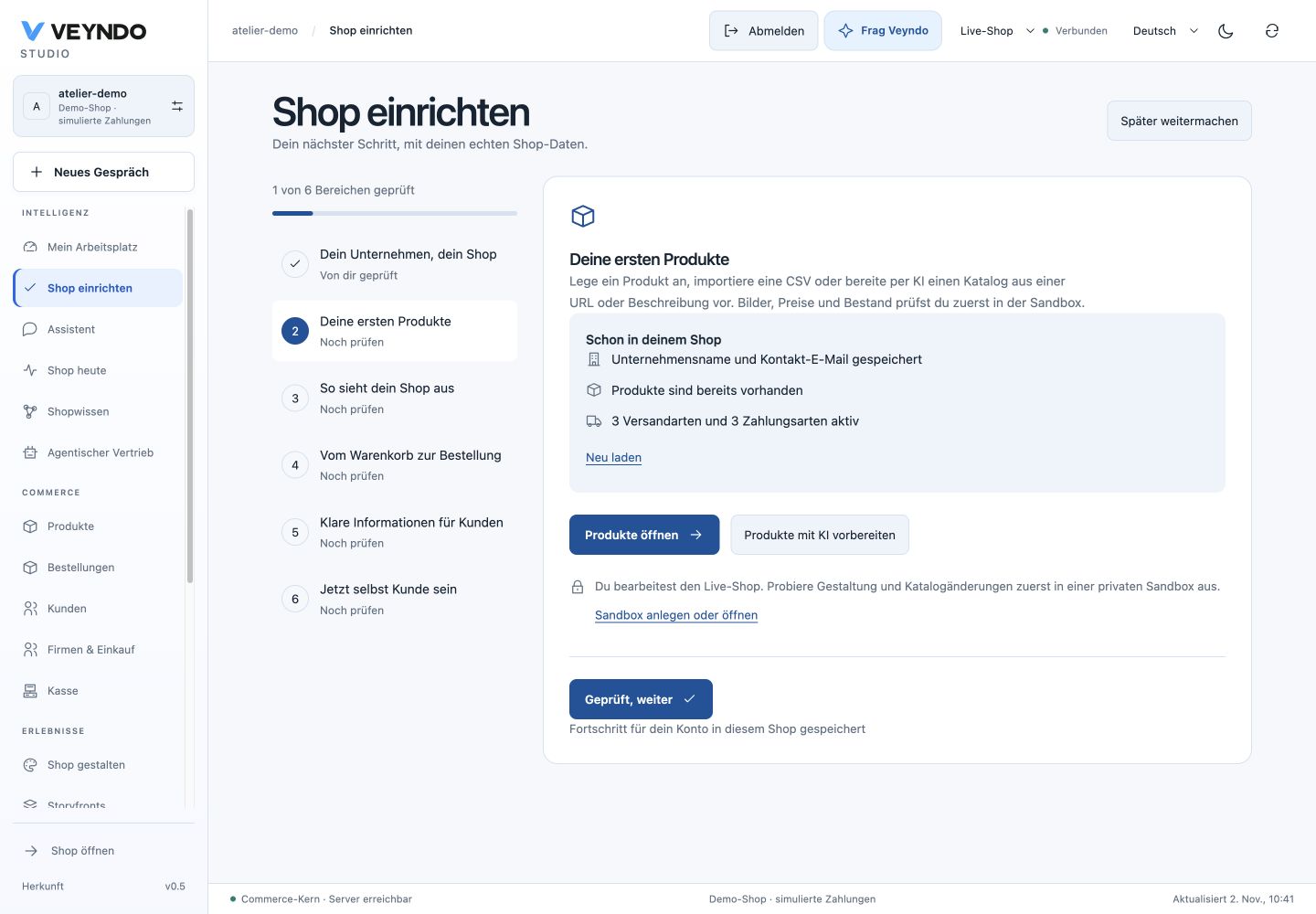
Opening a tool retains the normal permissions, saves and publication controls. Design changes follow the private workspace and selected release path. For catalogue intake, follow the merchant catalogue guide. For a first simulated purchase and a selected release, follow the local tour.
Get help with the current step
Use the guide's AI action to open the existing merchant assistant with the current setup area as context. You can ask for an explanation or a proposal and inspect what it prepares. The assistant keeps its existing model configuration, authority and approval path. The guide does not configure a provider or publish changes on your behalf. Model configuration and connections.
Pause and return
Pause the guide when you want to work elsewhere. Set up your shop reopens it at the saved area. During active setup, a return banner also links back from other live shop views. The banner is hidden inside a sandbox.
Your progress belongs to your personal account and the selected live shop. Reloading or reopening retains saved progress. Another person has their own progress. Concurrent updates use the existing workspace revision check, so a stale save produces a conflict instead of overwriting a newer version. If another tab changes setup progress, reload the guide before continuing. Its reviewed areas remain intact; unrelated layout changes from another tab are retained when saving your progress.
Complete the guide after reviewing all six areas. Completion records your review; it does not certify legal compliance, a real payment provider or a successful purchase. Test those through the existing configuration and commerce paths and inspect the actual result. The guide remains available through the sidebar.
Source owners and local acceptance
The guide adds optional progress to the existing revisioned personal workspace. It creates no additional table, API operation or onboarding execution service. Existing workspace row security, revisions and history apply.
| Responsibility | Existing or feature owner |
|---|---|
| Welcome, guide, progress and return banner | frontend/src/admin/setup/ |
| Inline company form | SetupBasics.tsx, reusing settings/useSettingsDraft, CompanyField and SettingsSaveBar |
| Saved progress validation | src/studio/personal/model.rs |
| Bounded current setup context for AI | src/agent_runs/context.rs |
| Layout, goals and personal identity | Existing personal workspace owner; setup saves preserve these fields |
| Company, products, design, orders and publication | Existing native owners reached from the guide |
Local checks on 2 November 2026 passed 17 targeted UI tests: twelve setup tests and five workspace/navigation tests, including current rights and visibility cases. Four native Rust tests cover the personal setup model and bounded assistant context. Real HTTP/PostgreSQL checks cover saving, reopening, pausing, completing, history, MCP readback, stale revision rejection (409), foreign shop rejection (403) and invalid input rejection (400). The targeted UI cases also exercise two independent controllers: a stale second tab preserves the first tab's reviewed Basics step and recovers by reloading. A fresh unrelated layout change survives a setup save. The Products AI action invokes the existing merchant assistant once with the current shop and setup context.
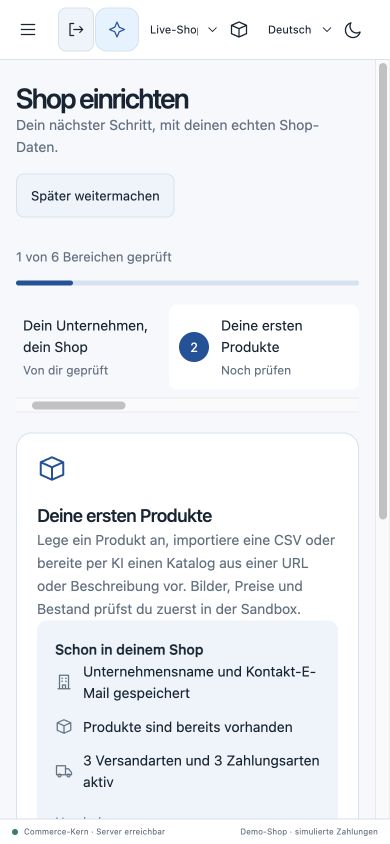
An actual local browser journey saved the company through the native form, explicitly advanced a review step, paused and reopened the same Products step. Two actual browser tabs rejected a stale progress edit and recovered the newer Design step after reload. At 390px, advancing Products to Design automatically revealed its rail item, with no document overflow. Guide completion and a fresh review were exercised using synthetic progress. Desktop and narrow screen captures above show the local implementation. These checks do not establish public deployment, a new AI provider acceptance or a completed purchase.